
Snapview – Free Anonymous Snapchat Story Viewer
Anonymous Snapchat Story Viewer and Downloader that lets you instantly view and save Snapchat stories in just a few seconds. No login or sign-up required. Fast, private, secure, and easy to use on any device.
Snapchat Story Viewer – View & Download Snapchat Stories Anonymously
Snapview is a simple online tool that lets you view Snapchat stories without logging in or installing anything. It works directly in your browser, so you can use it anytime from any device.
All you need is a username to check public Snapchat profiles and see available stories. The process is quick and straightforward, with no complicated steps.
You can also save stories if you want to keep them for later. Everything is designed to feel easy, fast, and private, so you can browse without any hassle.
Whether you just want to check public updates or save content for offline use, Snapview makes it easy to explore Snapchat stories in a clean and simple way.
What is Snapview?
Snapview is a simple online tool that lets you view Snapchat stories without logging in or installing any app. It works directly in your browser and is designed to make browsing public Snapchat content quick and easy.
With Snapview, you can check public Snapchat profiles, view available stories, and save them if you want to keep a copy on your device. Everything works instantly with just a username.
The tool is built for convenience no accounts, no setup, and no extra steps. You can access it from any device and use it whenever you need.
Instead of switching between different tools, Snapview brings everything together in one place, making it easier to explore and save Snapchat stories in a straightforward way.
You many also test and use new trending CapCut Templates by clicking on the link.
Benefits of Using Snapview?
Anonymous viewing
Snapview lets you view Snapchat stories without logging in or showing your identity. You can browse public content privately without appearing in the viewer list.
Quick and easy saving
You can save Snapchat stories to your device in just a few clicks. The process is simple, fast, and doesn’t require any technical steps.
Everything in one place
Snapview brings together public stories, highlights, and spotlight content so you can access everything from a single tool instead of switching between different apps or websites.
How to View Snapchat Stories Anonymously in 3 Simple Steps
Snapview is designed to be very easy to use. You don’t need to log in, install anything, or share any personal details. Just follow a few simple steps.
Step 1: Enter the Username
Type the Snapchat username of the profile you want to check into the search box.
Step 2: Click on Search
Click the search button and wait a moment while the tool loads available public content for that profile.
Step 3: View or save the content
Once results appear, you can browse the available stories anonymously. If you want, you can also save them directly to your device for later use.
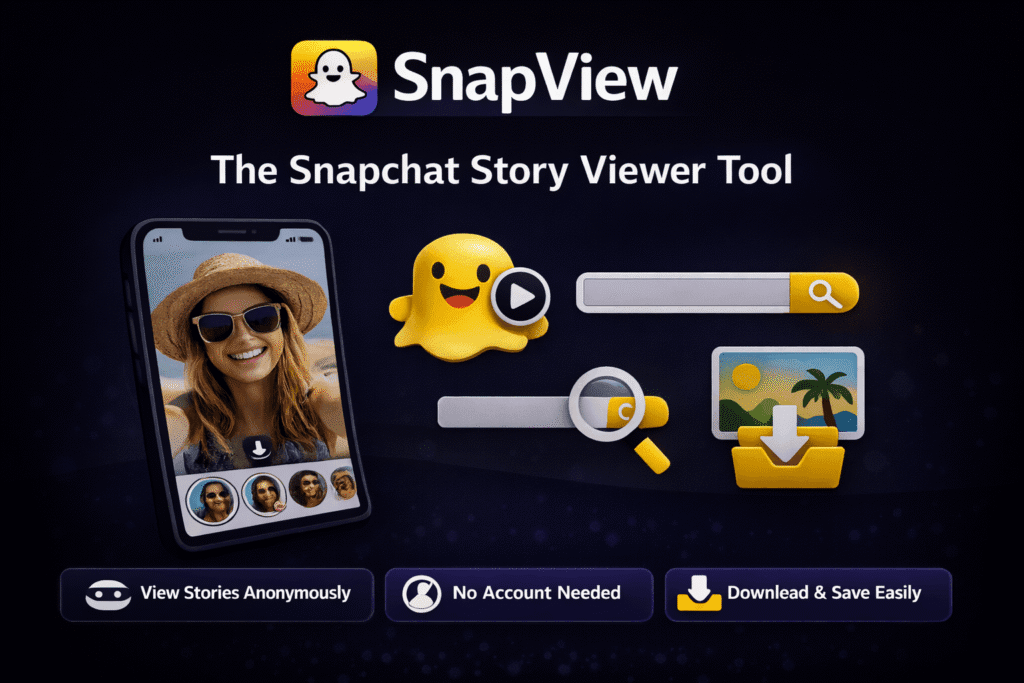
Why Choose Snapview?
Private and anonymous viewing
Snapview lets you view Snapchat stories without logging in or letting others know. Everything is done privately through your browser.
Easy saving options
You can quickly save Snapchat stories to your device with just one click. It’s designed to be simple and fast.
Clean and simple experience
The tool has a straightforward interface that works smoothly on all devices, making it easy for anyone to use.
No account needed
You don’t need to sign up or provide any personal details. Just open the tool and start using it right away.
Works with public content
Snapview supports viewing and saving publicly available Snapchat stories in a smooth and reliable way.
What is a Profile Removal Request?
Snapview provides a way for users to request the removal of a Snapchat profile or related content from our platform. This is designed to respect privacy and give individuals control over how their information appears online.
If you think a profile has been added incorrectly, or you want certain content removed, you can submit a request for review. Our team will check the request and verify the details before taking any action.
Once the request is confirmed, the content will be removed from Snapview as soon as possible. This helps us keep the platform fair, safe, and respectful for everyone.
You can also download Twitter videos by using our free tool on this website.
Snapview vs Other Tools
Many Snapchat viewing tools online feel slow, cluttered, or require extra steps like logging in or dealing with heavy ads. Snapview is designed to keep things simpler.
It focuses on quick access to public Snapchat content without unnecessary distractions. You can browse stories directly in your browser without creating an account or installing anything.
The experience is built to be smooth and straightforward, making it easier for users who just want a clean way to view and save Snapchat stories without interruptions.
Must Try: YouTube to MP3 Converter
Troubleshooting & Common Issues
Most Snapchat downloads work instantly, but if you face any issues while using Snapview, here’s how to quickly fix the most common problems with our Snapchat Story Viewer and downloader.
“Invalid Link” or “Content Not Found”
The link may be incomplete, expired, or related to private content that cannot be accessed.
Solution:
- Make sure the Snapchat story or content is public and still available
- Copy the link directly using Snapchat’s Share – Copy Link option
- Avoid shortened or third-party links and always use the original Snapchat URL
Slow Download or Stuck Process
This usually happens due to weak internet connection or temporary server load.
Solution:
- Check your internet speed or switch to a stable Wi-Fi connection
- Try again after a few minutes if traffic is high
- Use modern browsers like Chrome, Safari, or Firefox for best performance
Blank Preview or Missing Thumbnail
Snapchat compresses media during upload, which may affect preview generation.
Solution:
- Download content that was uploaded in higher quality (HD if available)
- If you are the creator, upload high-resolution content for best results in Snapview
Poor Video Quality After Download
The final quality depends on the original Snapchat upload.
Solution:
- Always try to download HD uploads when available
- Higher quality uploads on Snapchat result in better saved files via Snapview
Video Not Playing After Download
This issue is usually related to your device’s media player.
Solution:
- All files are downloaded in MP4 format
- Use compatible players like VLC or MX Player
- Update your default video player for better compatibility
“Download Failed” Error
Browser security settings or extensions may block the download process.
Solution:
- Disable ad-blockers or privacy extensions temporarily
- Clear browser cache and reload the Snapview page
- Try Incognito/Private mode to avoid extension conflicts
Pro Tip: If issues continue, try another browser or device. Most problems are browser-related and can be fixed quickly. Snapview is optimized to ensure smooth, fast, and reliable Snapchat story viewing and downloading for all users.
Must Try: IG Profile Viewer
Tips for Better Use
To get a smoother experience, try searching for public profiles that are active or recently updated. This makes it easier to find available content.
For saving content, make sure you use stable internet and a supported browser for best results.
Always use online tools responsibly and avoid sharing personal data while browsing.
Privacy & Safety
Snapview is designed to work without requiring login or personal information. You can use it directly in your browser without creating an account.
The platform is built to access only publicly available Snapchat content and does not require user registration to function.
For a safer experience, always avoid sharing sensitive personal information while using any online tool.
Frequently Asked Questions
Note: Snapview is an independent Snapchat story viewing tool and is not connected, associated, or endorsed by Snapchat or Snap Inc. Our platform is designed to help users access publicly available Snapchat content in a simple and convenient way for personal use.
We strongly encourage respect for content creators and compliance with applicable copyright and privacy laws when using Snapview. Any misuse or unauthorized distribution of content is strictly discouraged.
Snapview aims to provide a fast, secure, and easy-to-use experience for viewing publicly available Snapchat content, and we continuously work to improve the platform for better performance and usability.